CHANGE DEPTH
Method 1: without laser
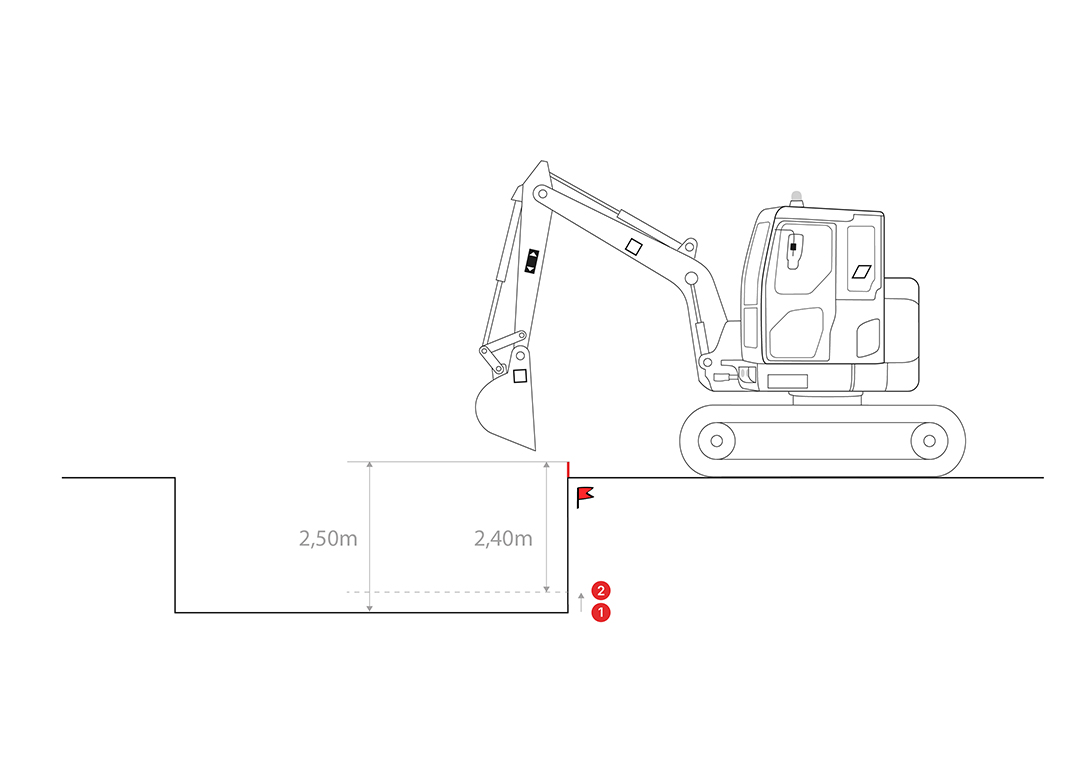
Option 1: Change Depth → Directly modify the current depth
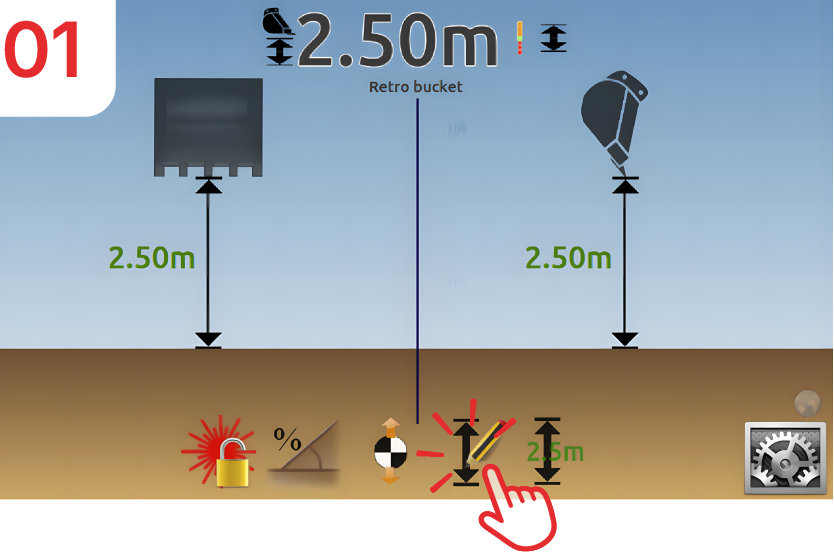
Place your bucket on your reference point (in our example at “2.50m”) and then click on “depth.”
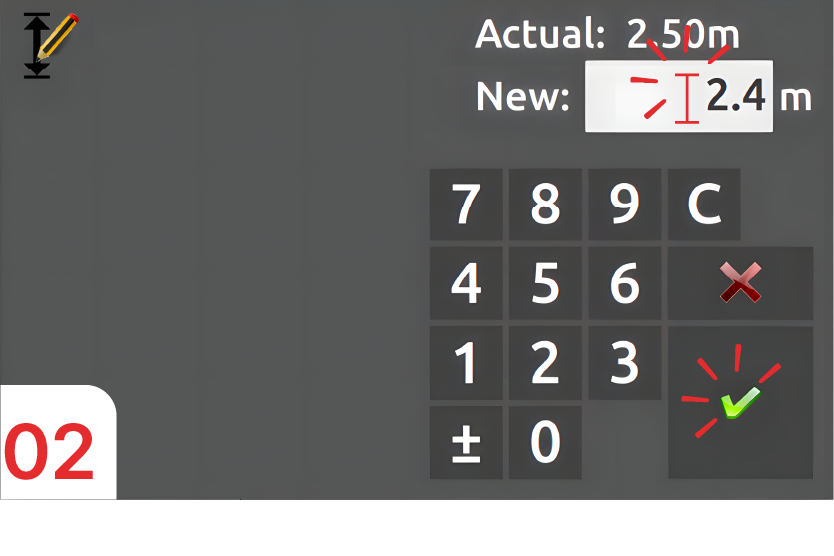
We want to raise our earthworks by 0.10m, so the new value will be “2.40m” (2.50m – 0.10m), then confirm.
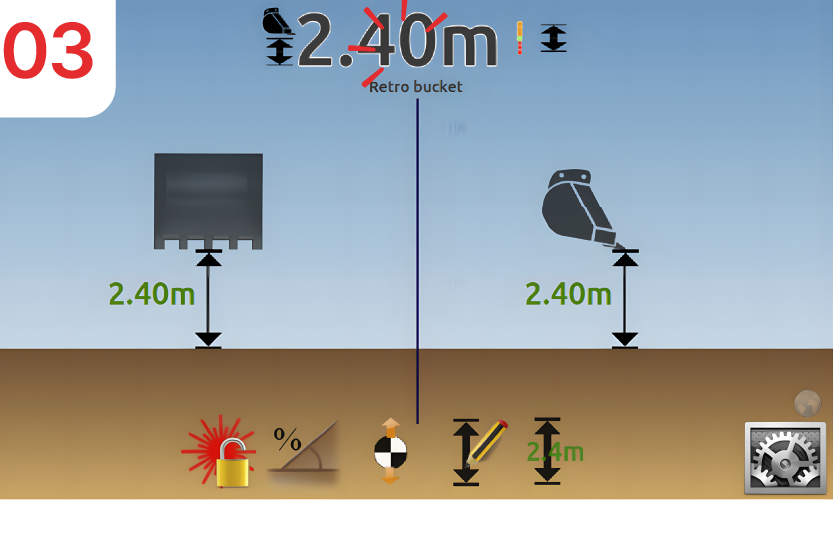
The bucket remains at the initial benchmark, but the depth is now 0.10 m shallower.
Option 2: Move the reference → we add or subtract an offset.
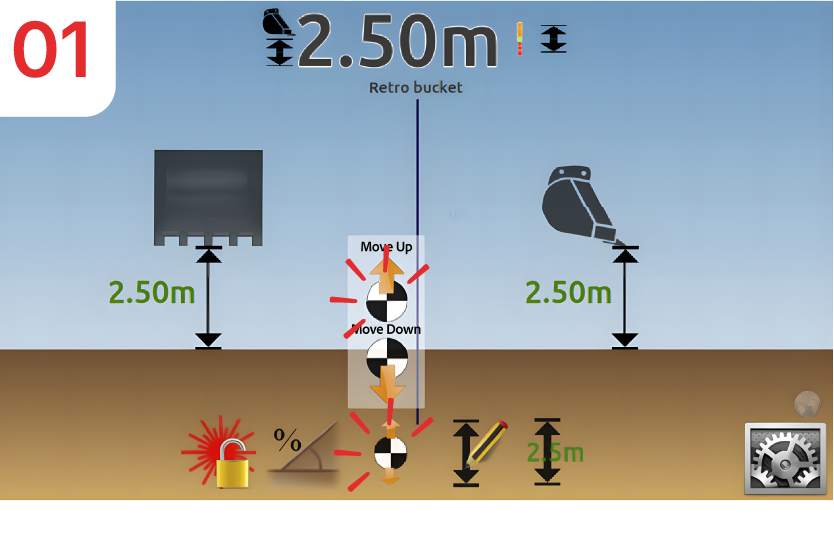
Click on the “Move Reference” and “Move Reference Up” icons.
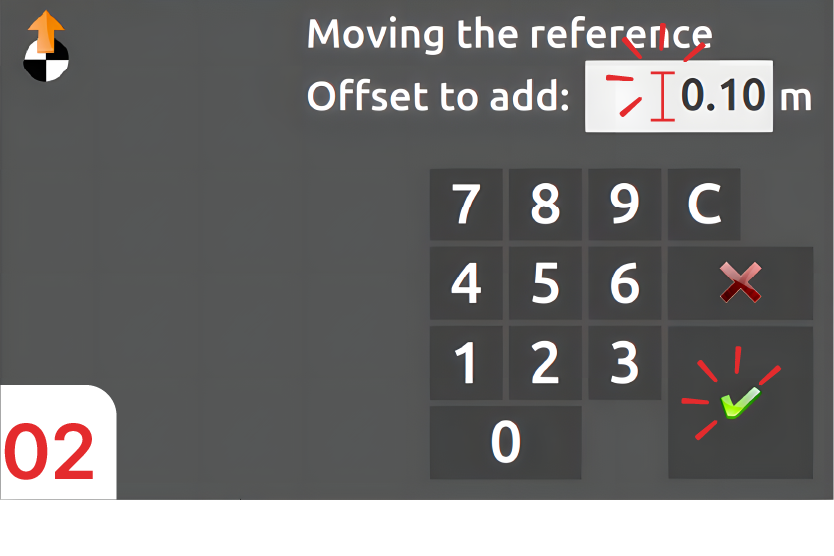
Enter the offset value, in this case “0.10m”.
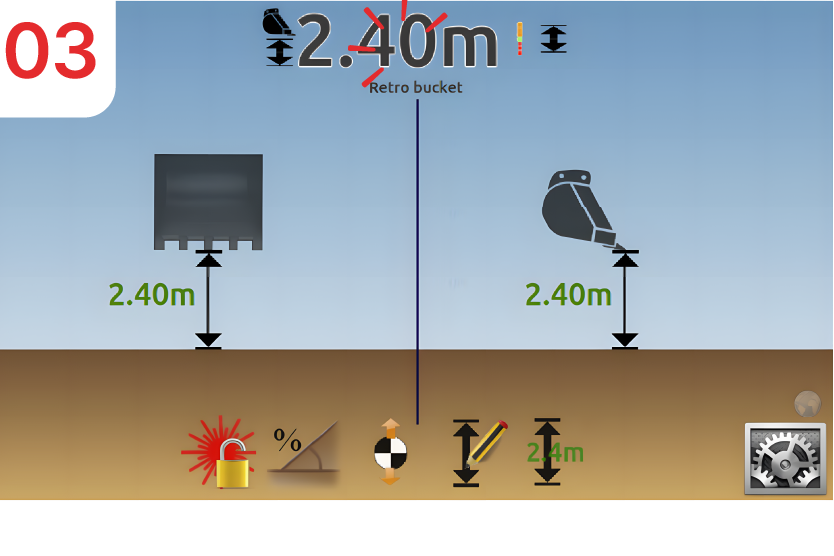
The height between the bucket and the reference point has decreased by “0.10m”.
Method 2: without knowing the height of the laser.
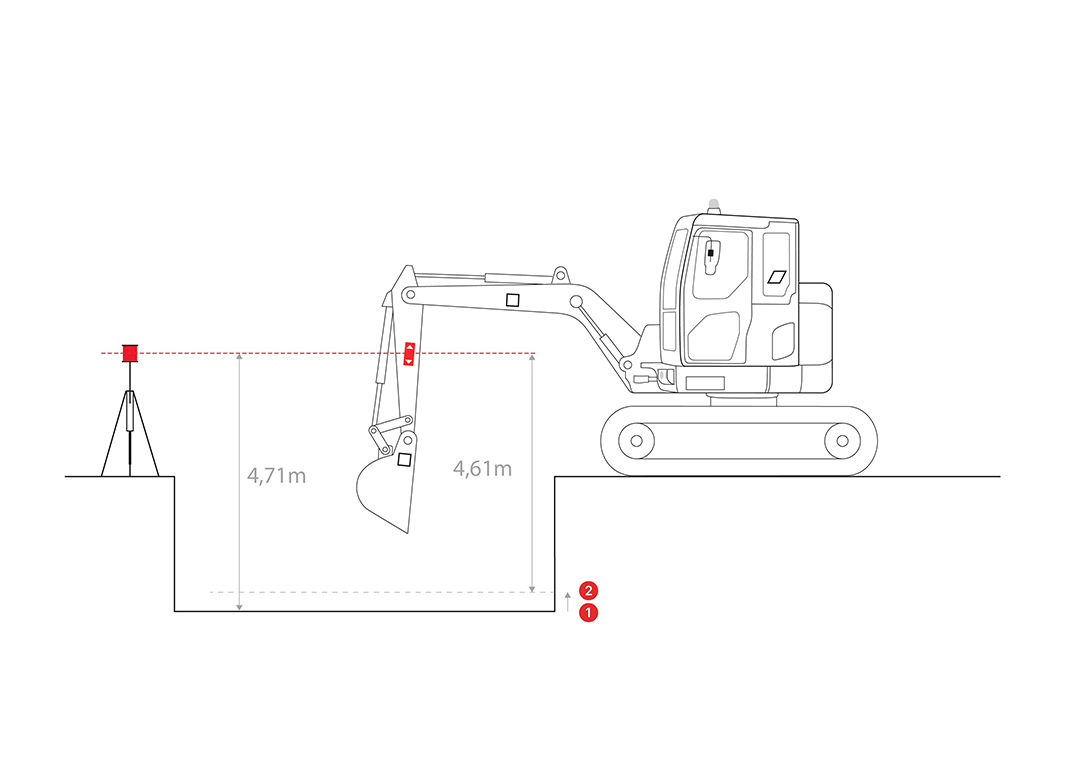
Option 1: Directly edit the height Bucket / Reference
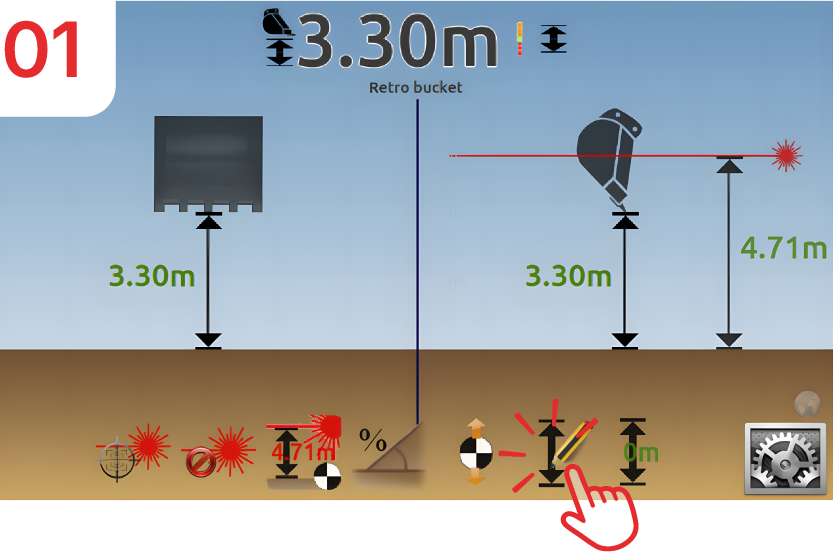
Now, your bucket is “3.30m” from your ground level and the laser beam is at “4.71m”. Click on “depth”.
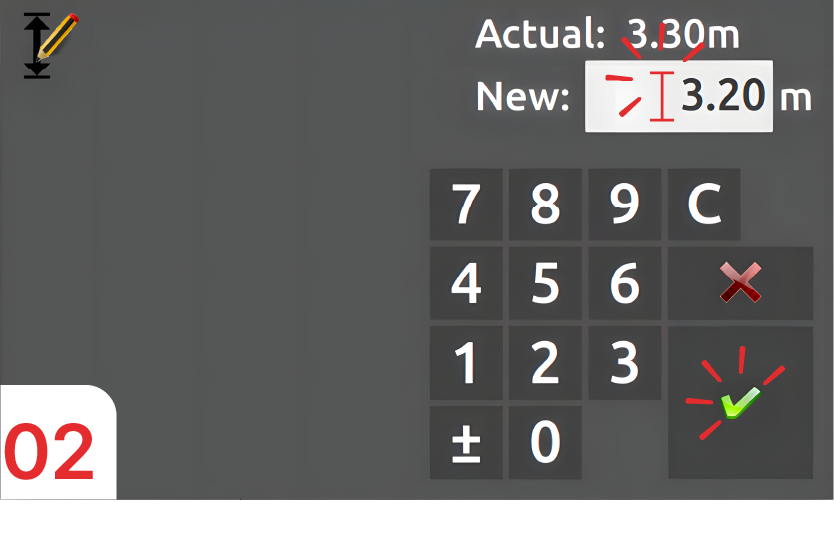
Enter a new height that is “0.10m” lower than the current value (3.30m → 3.20m), then confirm.
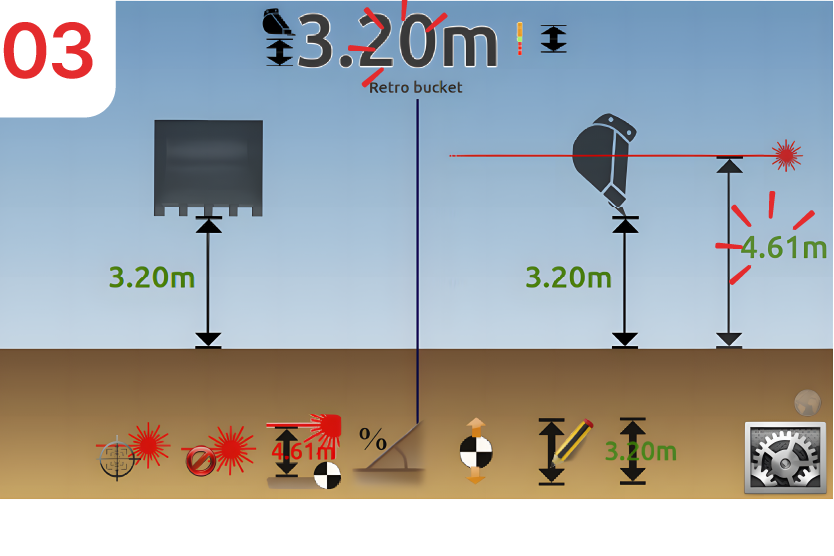
The Bucket, Reference and Laser Reference heights have decreased by “0.10m”: the bottom of the trench is now “0.10m” higher than before the change.
Option 2: Directly edit the Laser/Reference height.
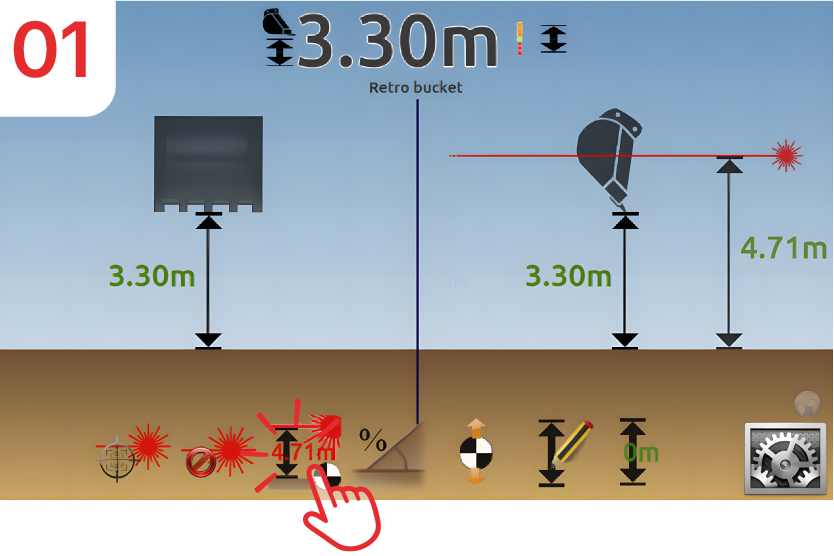
Click on “Laser Height”; the reference is currently “4.71m”.
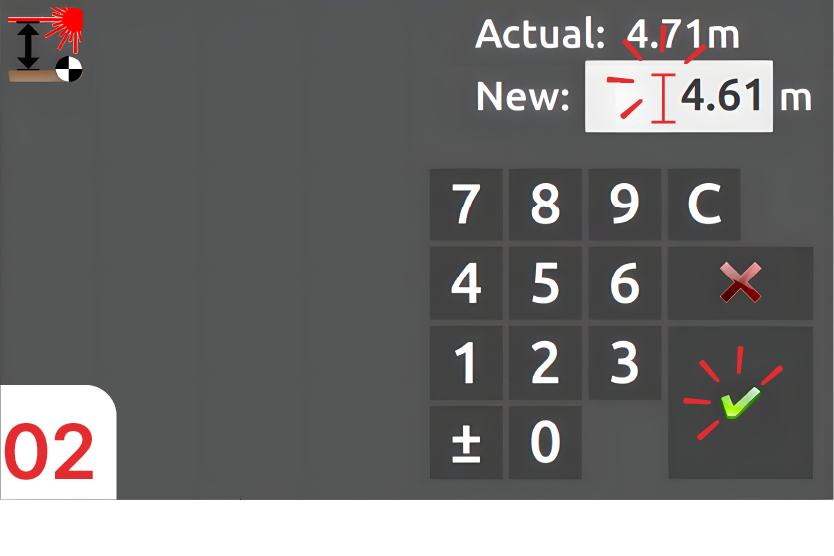
Enter a new height that is “0.10m” lower than the current value (4.71m → 4.61m), then confirm.
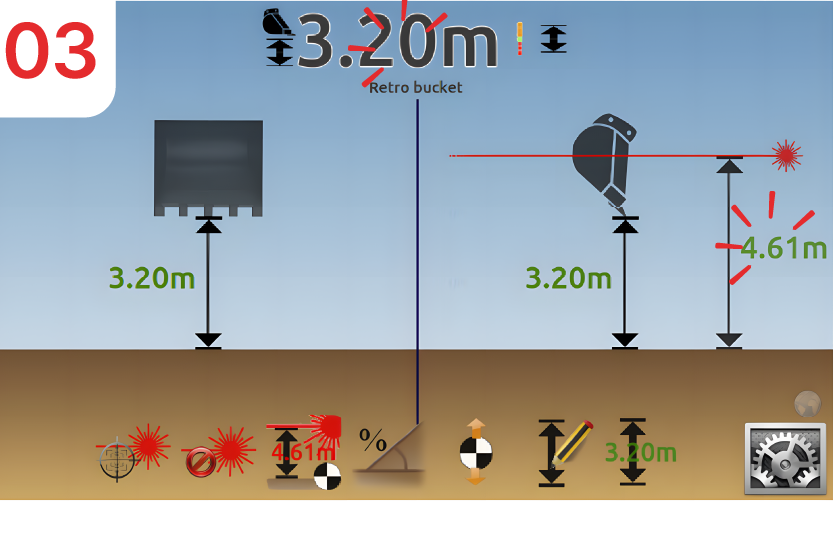
The “Bucket/Reference” and “Laser/Reference” heights have decreased by “0.10m”: the bottom of the trench is now “0.10m” higher than before the change.
Move the reference
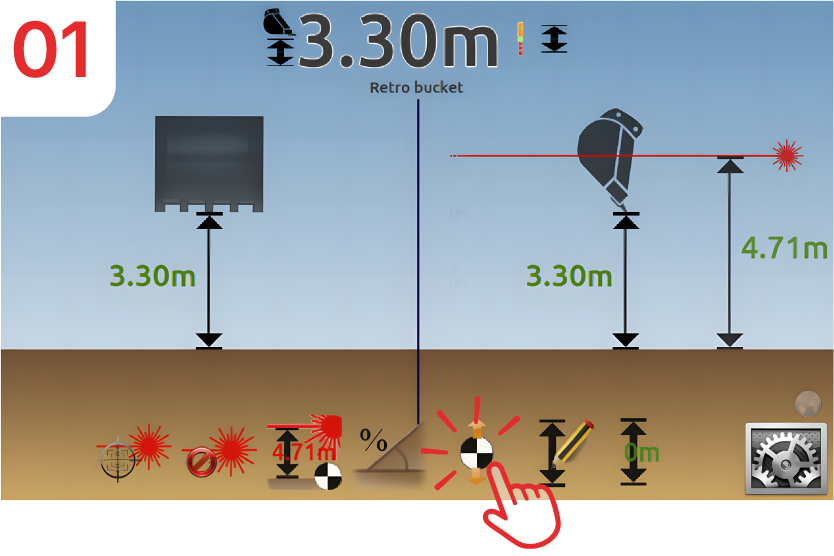
Click on the “Move reference” icon.
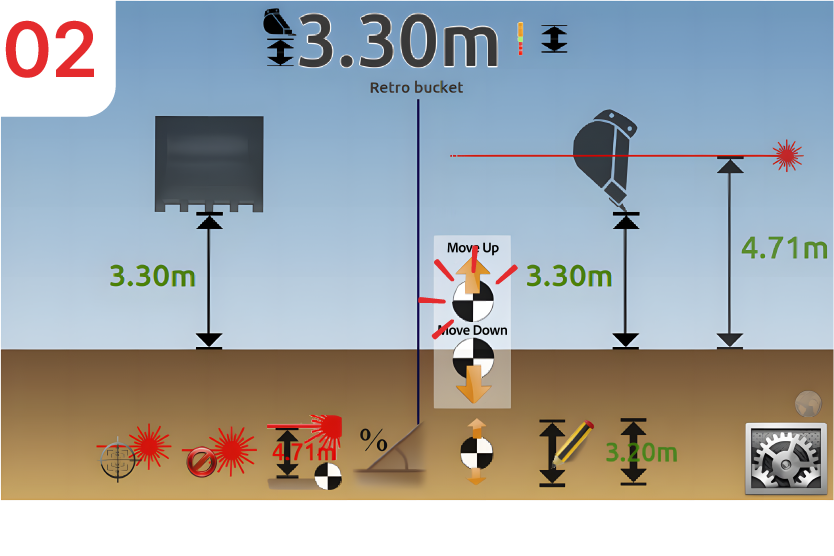
Choose “Move up referenceˮ.
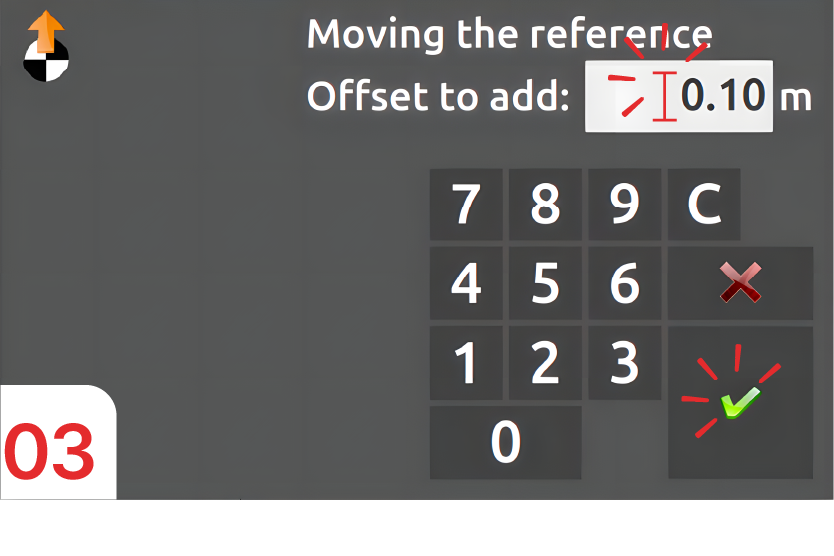
Enter the offset value, in this case “0.10m”.
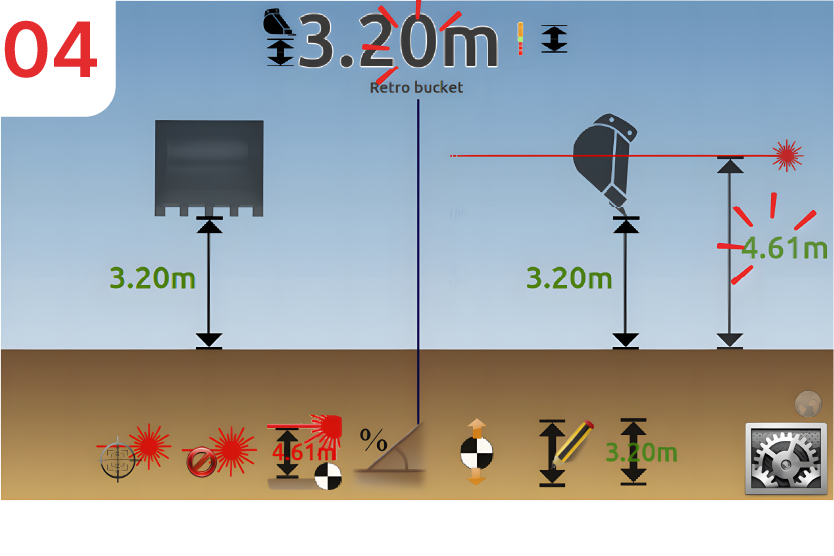
The Bucket height / Laser/height references have decreased by “0.10m”: the bottom of the trench is now “0.10m” higher than before the change.
 clotilde