Table des matières
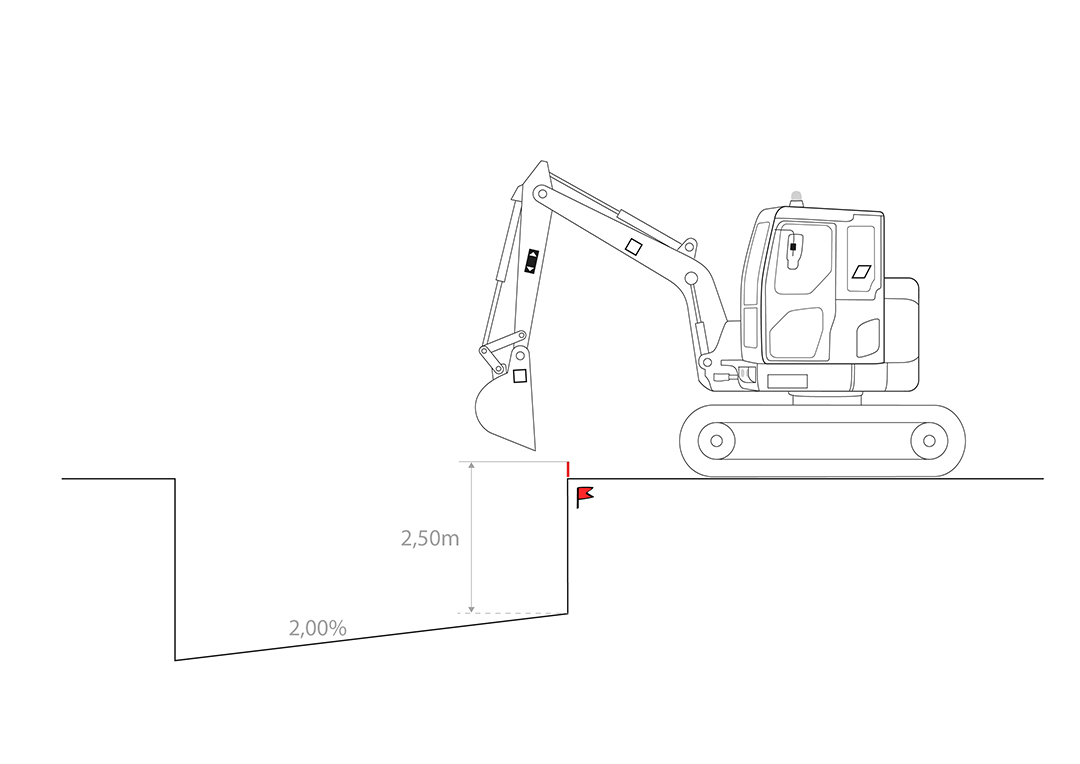
DIGGING A TRENCH WITH A 2% SLOPE
Method 1: Using a benchmark.
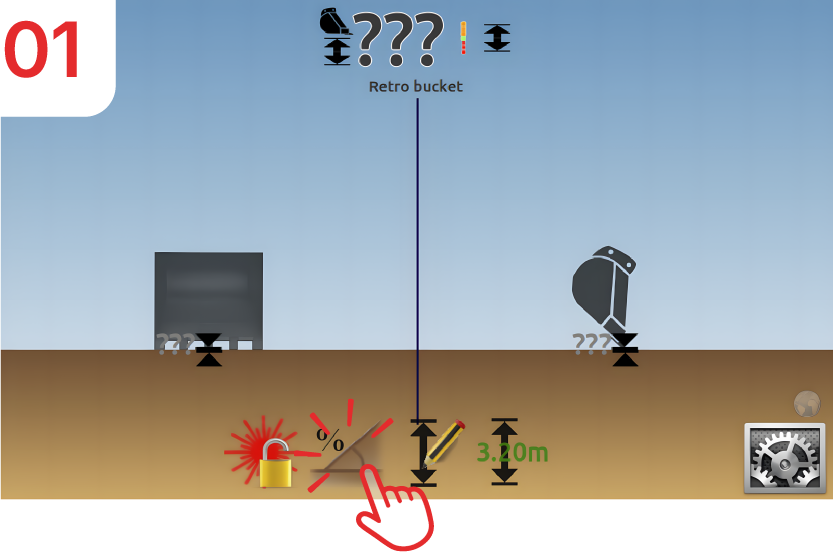
Activate Slope mode.
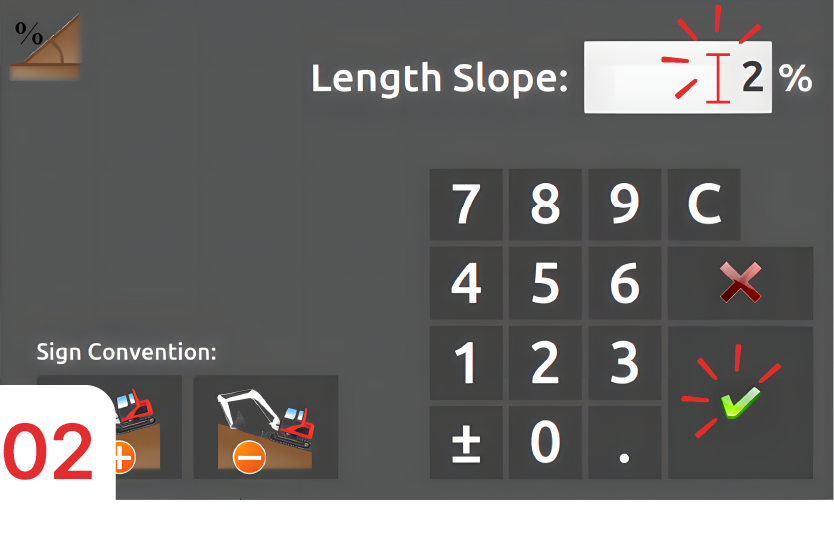
Enter 2%, then confirm.
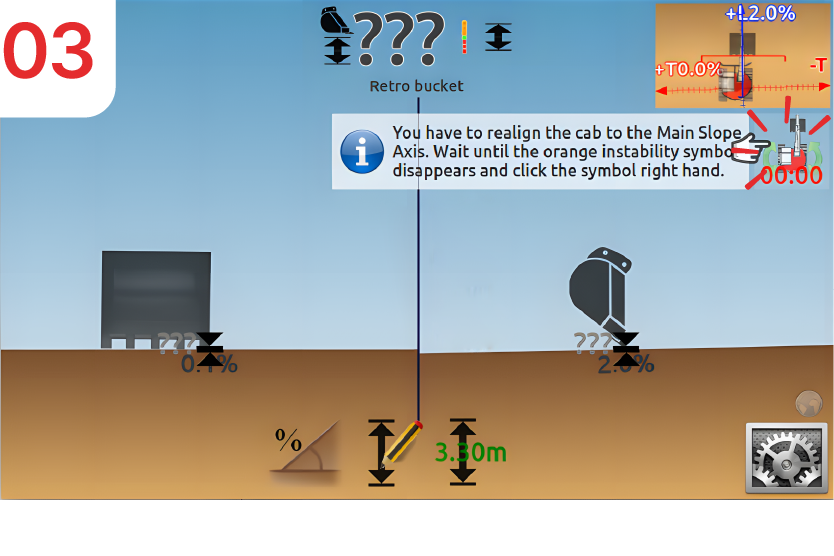
Align your boom with the trench.
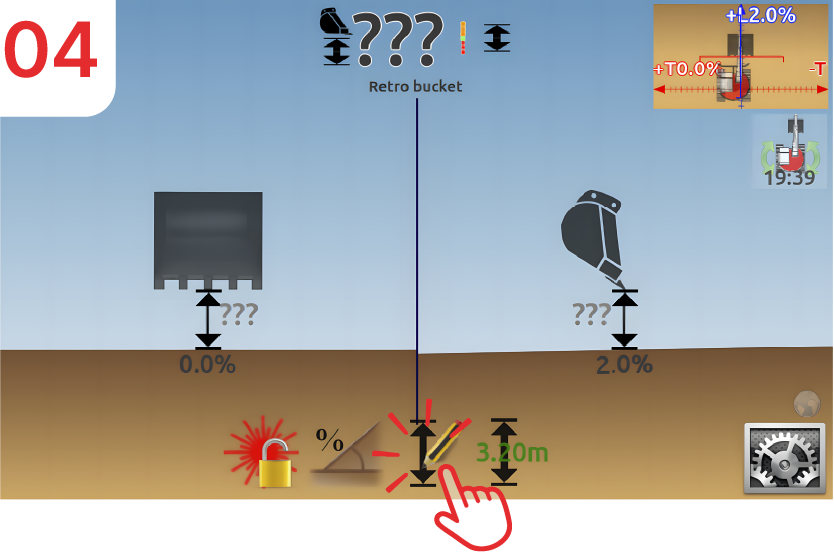
Place the tip of the bucket on the surveyor's stake or benchmark, then click on “depth”.
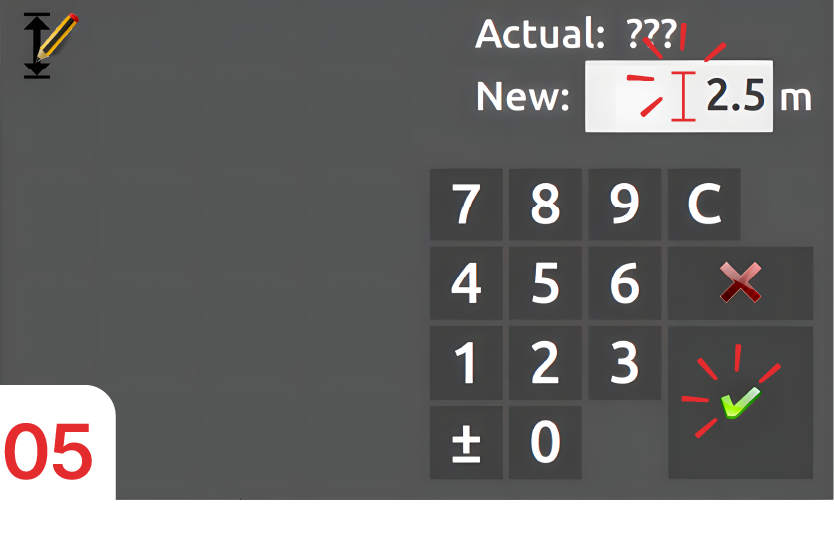
Enter “2.5m” as the height (the height between your bucket and the bottom of the trench), then confirm.
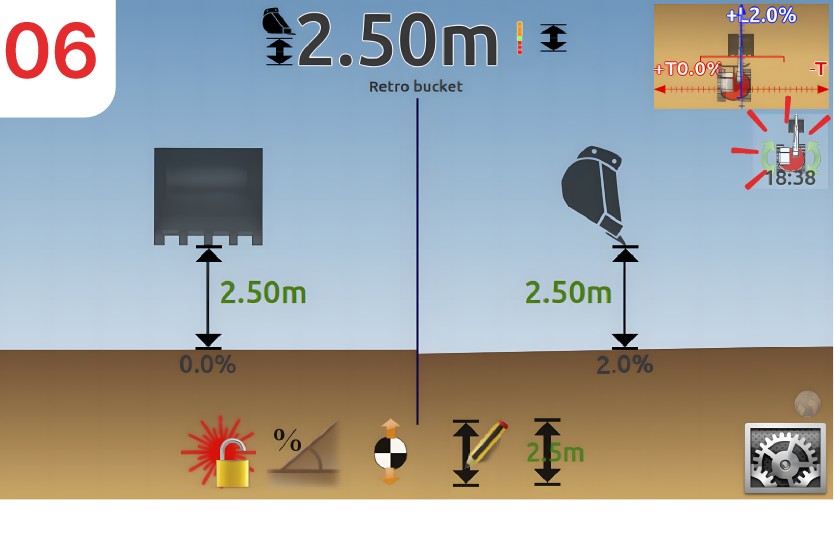
Follow the instructions on the screen to achieve the desired slope.
Method 2: without using a surveyors stake or benchmark.
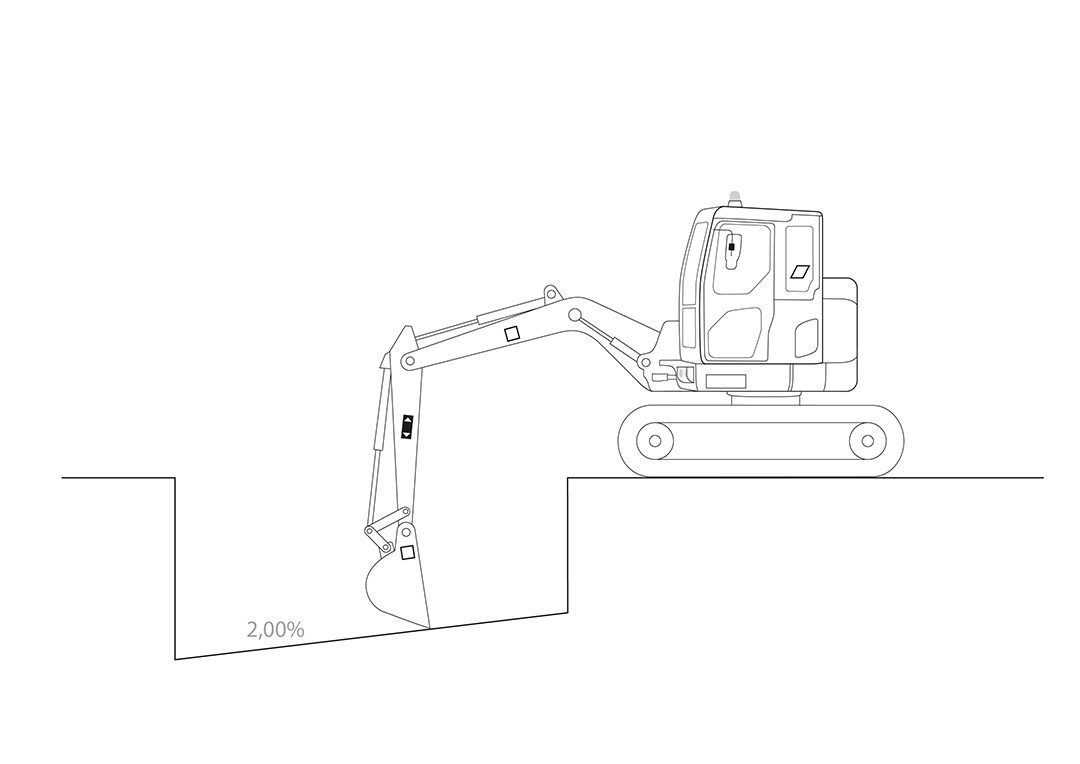
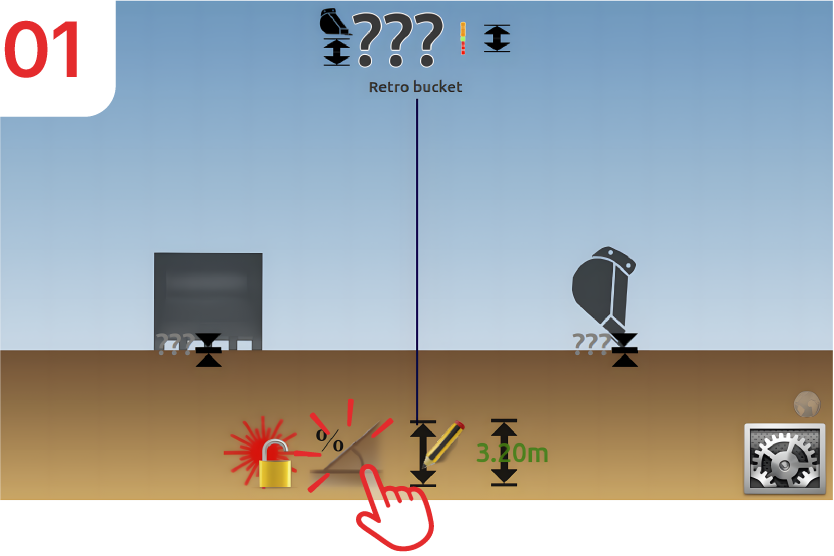
Activate Slope mode.
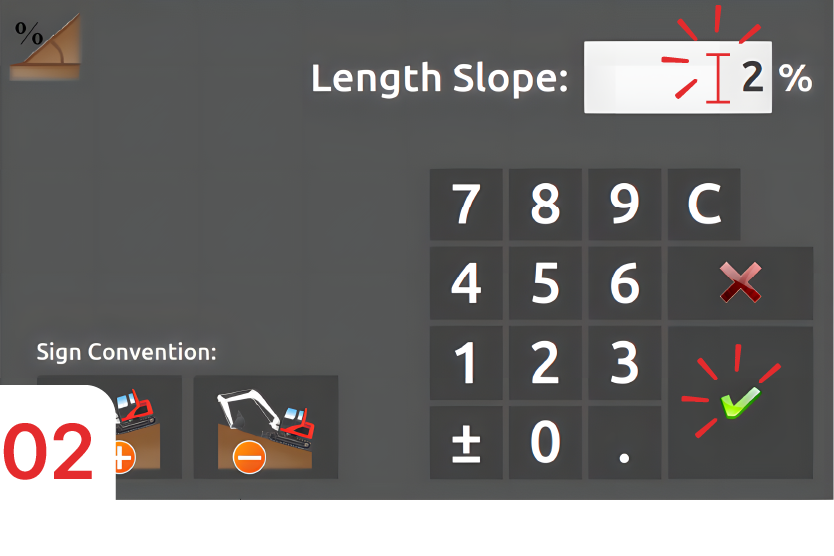
Enter 2% then confirm.
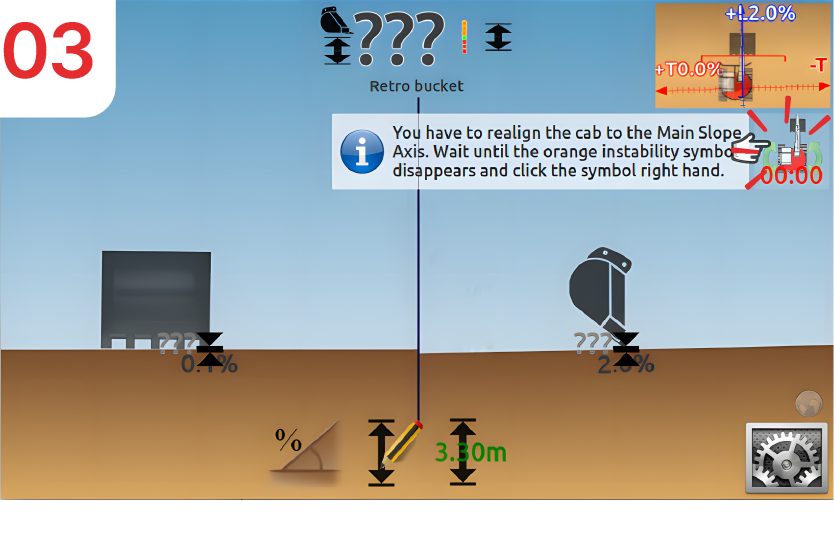
Align your boom with the trench.
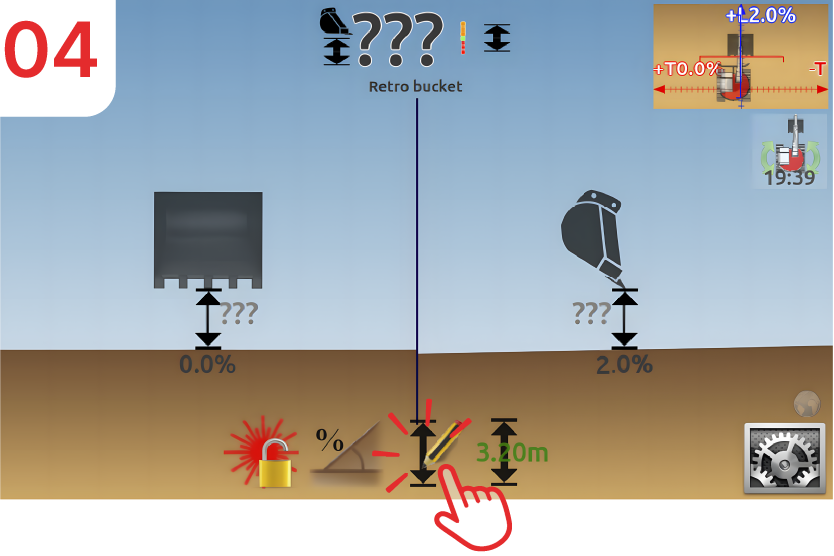
Place the tip of the bucket on the existing slope at the bottom of the trench and then click on “depth”.
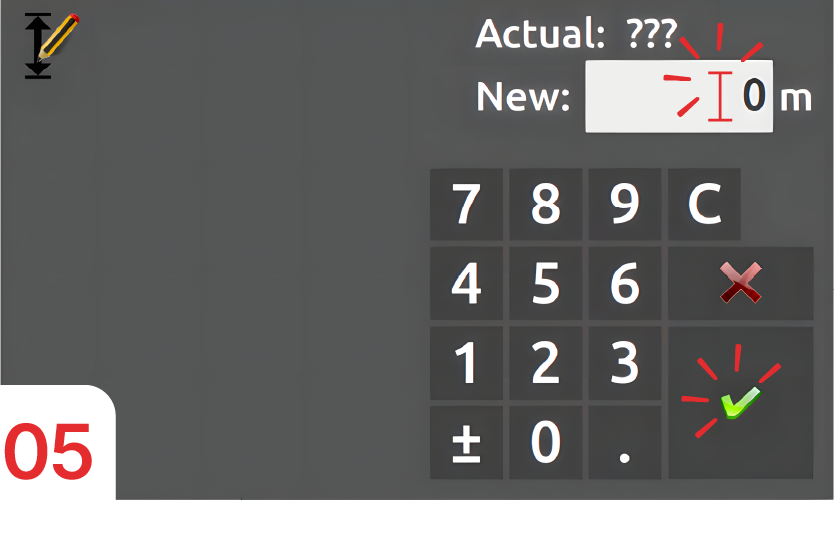
Enter “0m” as the height (the height between your bucket and the bottom of the trench) then confirm.
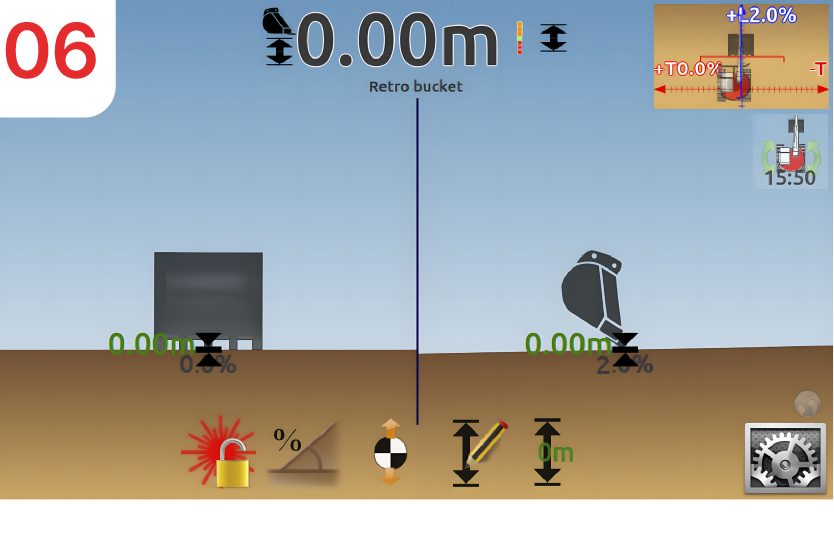
Follow the instructions on the screen to achieve the desired slope.